Starting in Kalaburagi · more cities next
YatryOne for fleet owners
One owner, many vehicles, each driver with their own login. You see the work of every vehicle in one place.
Starting in Kalaburagi · more cities next
One owner, many vehicles, each driver with their own login. You see the work of every vehicle in one place.
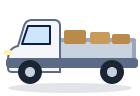
Add each vehicle with its RC, insurance and permit photos. Your drivers add only their selfie, licence and Aadhaar.
Every vehicle gets a 6-letter joining code. The driver types it when registering and is linked to that vehicle.
See which driver is on which vehicle, who is online or on a ride, and rides and fares for today and the last 7 days.
Remove a driver from a vehicle at any time (except during a ride) and give the vehicle a new code.
The dashboard shows your vehicles’ work, never the riders’ names or numbers.
Autos, goods vehicles and cars in one account.
The rider pays the driver, as on every YatryOne ride. You and your driver settle between yourselves as you do today.
Yes. The YatryOne office approves each fleet before its drivers can start, and checks the vehicle papers you upload.
Remove them from the vehicle in the app and create a new code for the next driver.
Two apps: one to book, one to drive. Both are in their final tests in Kalaburagi and will be on Google Play soon.
Want a message when it is live? Write to us